
Greenwick Journal · trading journal, no subscription
I built this because I was paying every month for a journal that kept my whole trade history on someone else’s server. You import your broker’s export, it builds the reports, and your data never leaves your computer. $49.99 once.
70-second walkthrough with sample data, not my account.
What it is: a trading journal that runs in your browser, offline. Drop in a CSV or Excel export from your broker and get win rate, expectancy, drawdown, R multiples, and results by setup, hour, weekday and share price.
What’s different: you pay once, there’s no account, and nothing is uploaded anywhere.
What it isn’t: a signal service or a strategy. It shows you your own numbers. It won’t make you profitable.
Why most trading journals didn’t work for me
Most journals are subscriptions. Tradervue is $29.95 or $49.95 a month for its paid plans, TraderSync lists $29.95 to $79.95 a month, and Edgewonk is $197 a year. Over two years that’s roughly $720 to $1,200 for Tradervue. Stop paying and you lose access.
The part that bothered me more: every one of them keeps your trade history on their servers. For a lot of people that’s the right trade-off. I wanted mine on my own machine.
To be fair, Tradervue has a free plan, capped at 30 trades a month. If you trade a few times a week, that may be all you need.
What you see after one import
These screenshots use sample data. Here’s what each screen is for.
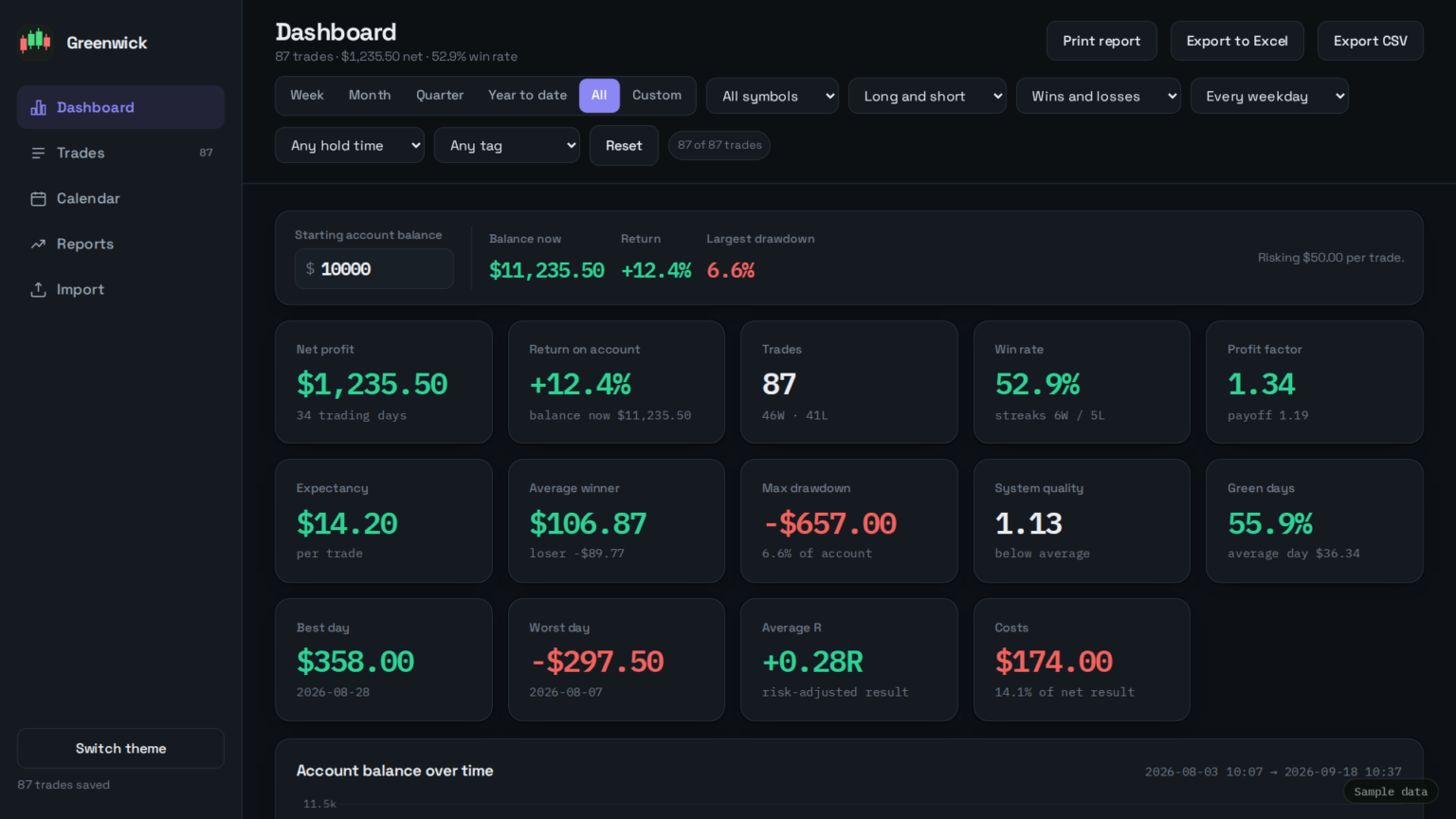


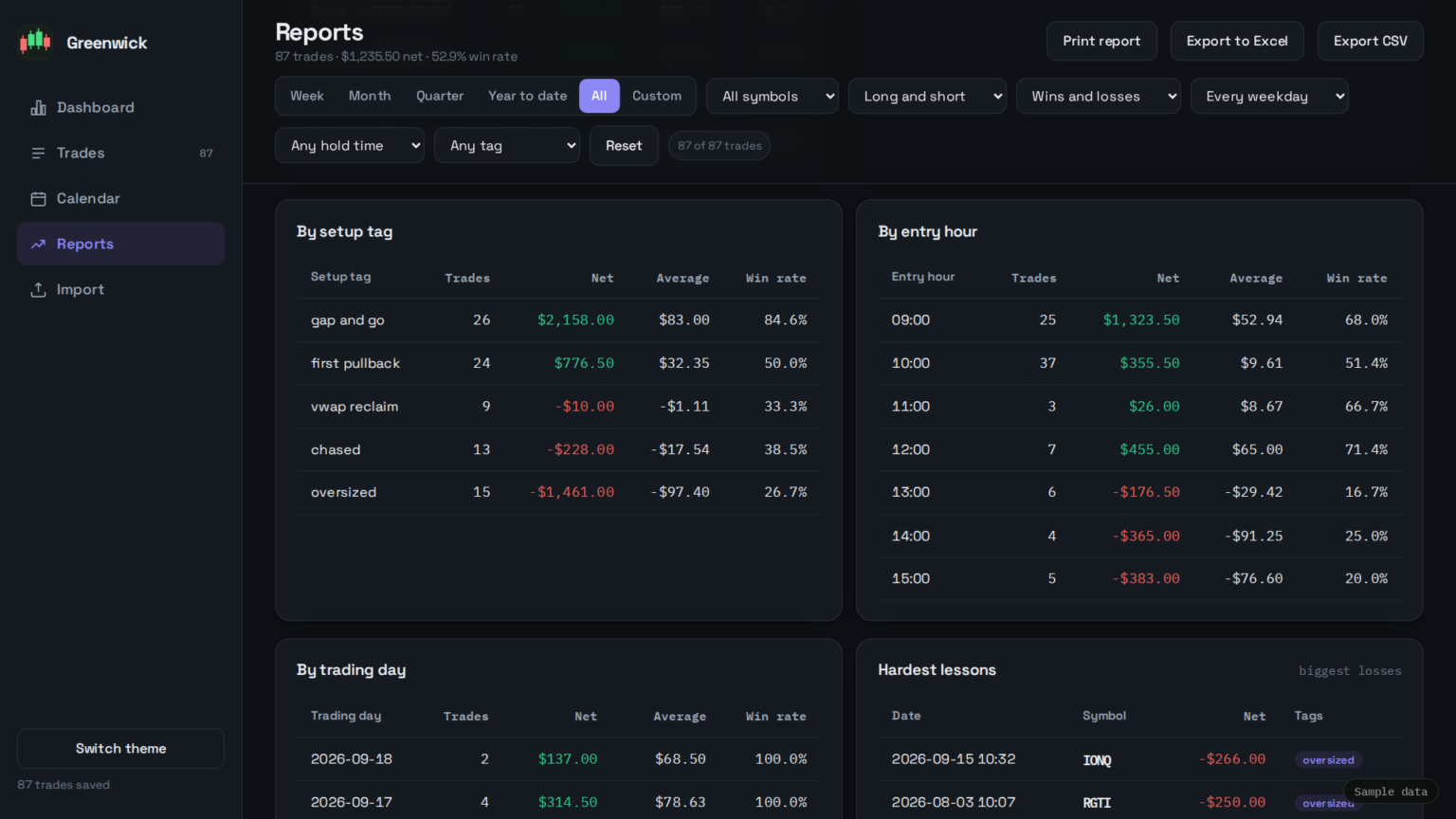
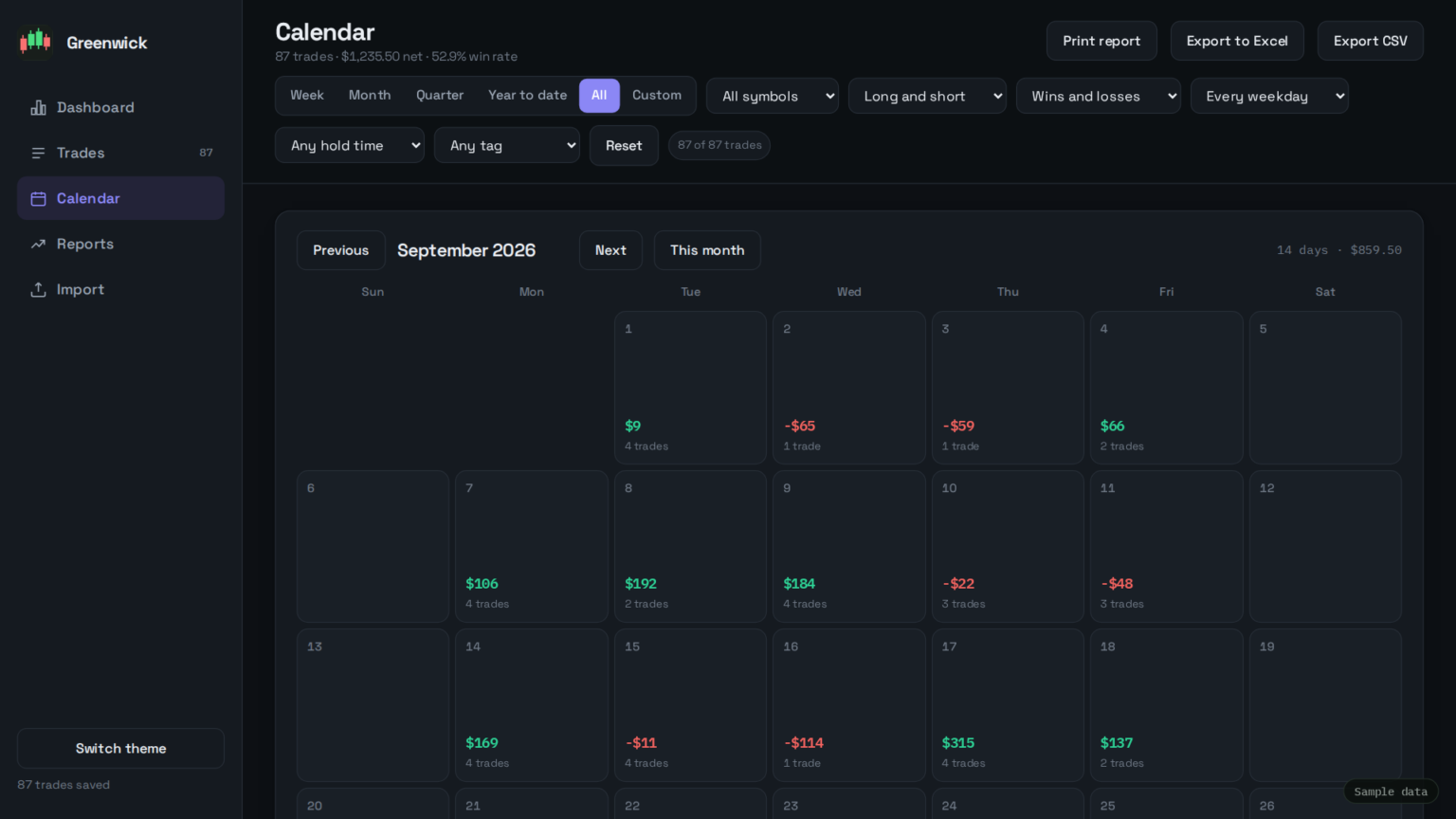

Greenwick Journal vs Tradervue, Edgewonk and TraderSync
| Greenwick Journal | Tradervue | Edgewonk | TraderSync | |
|---|---|---|---|---|
| Price | $49.99 once | Free (30 trades/mo), or $29.95–$49.95/mo | $197/yr | $29.95–$79.95/mo list price |
| Payment | One-time | Subscription | Yearly subscription | Subscription |
| Works offline | Yes | No, web app | No, web app | No, web and mobile app |
| Your data lives | In your browser, on your computer | Their servers | Their servers | Their servers |
| Broker import | CSV or Excel file you export | File import and broker sync | Automated imports | File import and auto-sync |
| Setup tags | Yes | Yes | Yes | Yes |
| P&L calendar | Yes | Yes | Yes | Yes |
| MFE / MAE | No | Yes | Yes | Yes |
| Account needed | No | Yes | Yes | Yes |
From each company’s own site, checked 25 September 2026. TraderSync often shows sale prices below list; I’ve used list. I built Greenwick Journal, so weigh my opinion accordingly, and message me on Whop if anything here is out of date.
What it does not do
- No live market data or trade charts. It works from the fills in your broker’s export.
- No MFE / MAE. It can’t tell you how far a trade went for or against you while you were in it.
- No broker sync. You export a file and import it. That’s why nothing leaves your machine.
- No cloud sync between devices. Your journal lives in one browser on one computer. Back it up weekly with one click.
- No mobile app.
Buy something else if you want trades to appear without exporting anything (TraderSync, Tradervue), you journal on your phone, or MFE/MAE matters to you (Edgewonk). It’s for you if you trade from one computer, can export a CSV or Excel file, and don’t want another subscription.
How it works
- Export your trade history or executions from your broker as CSV or Excel. An executions export is best, because it includes times.
- Import it. Columns are matched automatically, and you can fix any the importer gets wrong.
- Tag and review. Tag setups and mistakes, then check the reports weekly. My lessons on keeping a journal that changes your trading and the weekly review explain what to look for.
It runs in Chrome, Edge, Firefox or Safari. Nothing to install: download the ZIP, extract it, open the file.
First 15 copies free
Want it free? I’m giving away 15 copies.
I want the first people using it to be traders who’ll actually import their trades and tell me what’s broken or confusing. Leave your email and I’ll send your copy personally, one at a time, over the next few days.
If it’s useful, I’d be grateful for an honest review on the Whop page, good or bad. Please mention in it that you got the copy free. A review isn’t a condition of the free copy.
You’ll get one email asking you to confirm. If all 15 are gone, I’ll tell you, and you’ll stay on my list for new lessons (unsubscribe anytime).
Reviews
There aren’t any yet. Greenwick Journal launched in September 2026, and the first reviews will come from the people who get the 15 free copies. They’ll appear on the Whop page, unedited. I won’t post reviews here that you can’t check there.
Greenwick Journal
$49.99, once
No subscription, no account needed to use it, nothing uploaded. 14-day refund if it’s not for you: just message me.
Checkout is handled by Whop. After paying, you’ll get an email from Whop with access to the download. Checkout not loading? Buy on Whop directly.
Questions
Is this a subscription?
No. You pay $49.99 once and keep it.
Is my trade data uploaded anywhere?
No. It runs in your browser on your computer. There’s no account and no server.
Which brokers does it work with?
It reads CSV and Excel trade exports and matches the columns automatically. If your export doesn’t import, message me on Whop with your broker’s name, or take the 14-day refund.
Can I get my data out?
Yes. Export to an Excel workbook or CSV at any time, and back up the whole journal, notes and tags included, to one file.
Is there a free trial?
No, but there’s a 14-day refund, and the first 15 copies are free (see above).
Related: R-multiples, expectancy and drawdown · Trading tools compared